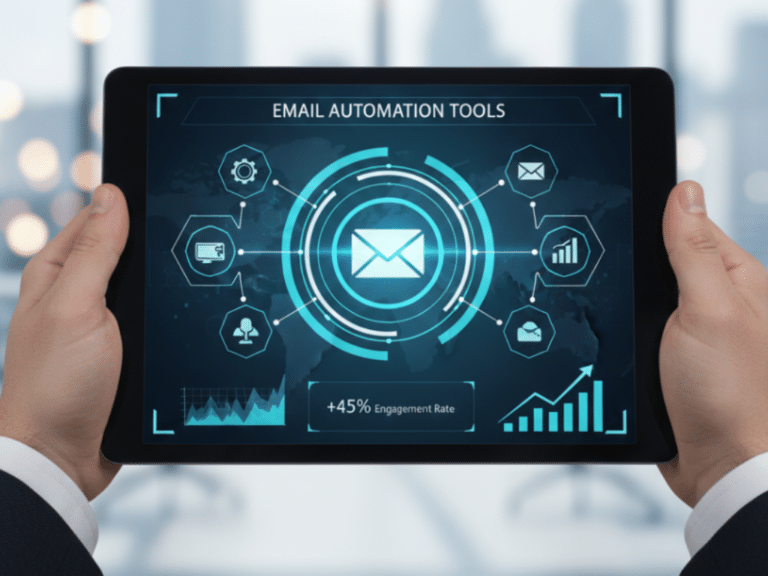
Email automation is your secret weapon to streamline communication, engage your audience consistently, and save valuable time. Whether you’re just starting out or looking to optimize your strategy, this guide breaks down 8 beginner-friendly best practices to boost engagement and build lasting customer relationships.
Email marketing remains one of the most powerful digital tools for reaching and nurturing your audience—but managing it manually is a recipe for burnout and missed opportunities. That’s where email automation comes in. Email automation means sending the right message to the right person at the right time—automatically. It’s a smarter, faster way to connect with your subscribers without having to hit ‘send’ every time.
If you’re new to it, don’t worry—it’s not as complicated as it sounds. At its core, email automation is about setting up emails that are triggered by your subscribers’ actions or based on a set schedule. Whether it’s a warm welcome for a new subscriber, a gentle reminder about an abandoned cart, or a follow-up after a webinar, automation helps you deliver timely, relevant messages with ease.
Even better, it keeps your communication consistent. No more scrambling to write last-minute emails or wondering if you’re sharing too much—or too little. With the right automation in place, you’ll keep your audience engaged, build stronger relationships, and even drive more sales—all while freeing up valuable time to focus on other parts of your business.
In this guide, we’ll walk through the basics of how email automation works and break down eight best practices that can truly make a difference for you. These insights are practical, beginner-friendly, and tailored to help you optimize your email marketing strategy—without feeling overwhelmed.

What Is Email Automation? A Beginner’s Guide
Managing emails can often feel like you’ve signed up for a second job when you’re juggling a business or handling digital marketing duties. Whether you’re sending out newsletters or following up with potential clients, it can quickly become overwhelming. That’s where email automation comes in to lighten the load. It ensures everything stays on track and reaches the right audience without the need to do everything manually.
So, what exactly is email automation? In simple terms, email automation is the use of software to send emails automatically based on user behavior, time-based schedules, or rules you set. Instead of writing and sending each email one by one, the system handles it for you. Once it’s set up, emails go out at the right time to the right people—all on their own.
For example, when someone signs up for your newsletter, they instantly get a welcome email. You’re not typing that out each time. Or suppose a customer browses your product but doesn’t buy—your system might send a gentle reminder or product recommendation. That’s email automation at work.
How Email Automation Works
Now, let’s break it down. Email automation works by combining three key elements: triggers, actions, and content.
- Triggers are what kick off the automation. It could be someone joining your list, clicking a link, or making a purchase.
- Actions are what happen next—like sending an email, tagging a contact, or adding them to a sequence.
- Content is the message itself. This could range from a welcome greeting to a promotional discount or a friendly reminder.
Everything is set up in advance, usually with an easy drag-and-drop builder. Once you set it live, the system handles the heavy lifting, and your role shifts to occasional checks for adjustments, launching new campaigns, or reviewing analytics.
Why It’s a Game-Changer
Email automation isn’t just about convenience. It’s about optimizing the way you work. Here’s why it’s a favorite for many businesses:
- Saves time: You create once, and it runs on autopilot.
- Boosts engagement: Emails reach people when they actually care, not when you happen to hit “send.”
- Improves consistency: Forget inconsistent gaps or delays. Your brand remains present and reliable to your audience.
- Drives more conversions: Emails sent at the right time and personalized based on user behavior tend to yield better results. This means more interaction, more potential clients, and ultimately, more sales.
- Grows with your business: Whether you have 50 or 5,000 contacts, automation helps you scale without the stress.
In short, email automation is a must-have tool for anyone who wants to improve customer engagement and run campaigns more effectively. It offers more oversight, greater impact, and frees up more time to concentrate on the core aspects of your business.
Why Email Automation Is Ideal Even for Small Businesses
Think email automation is only for big companies with huge marketing teams? Think again. Small businesses can benefit from it just as much—if not more. The truth is, automation isn’t reserved for the giants. It’s a powerful tool that helps small businesses maximize limited resources, maintain a consistent presence, and build stronger relationships with their customers.
If you’re running a small business, you probably know what it feels like to juggle multiple roles—you’re in charge of sales, customer service, and marketing, all at once. Wouldn’t it be nice to have a bit of help? Email automation takes repetitive communication off your plate, allowing you to stay connected with your audience without constant manual effort. From onboarding new subscribers to re-engaging inactive customers, automation helps you stay visible and relevant without spreading yourself too thin.
And here’s the kicker—automation allows you to personalize your emails without needing a huge budget or advanced technical skills. You can tailor your messages based on customer behavior, like their past purchases or interests, and deliver communication that’s more timely and relevant. This targeted messaging often leads to higher engagement rates, which is especially valuable when you’re working with a smaller list.
On top of that, email automation tools today are affordable and easy to use. Many are built with small businesses in mind, so you won’t need a tech expert to get started. With the right platform, small businesses can compete with larger brands by delivering timely, relevant emails that feel personal and professional.
Simply put, email automation is a smart move for small businesses. It helps you work smarter, make the most of every interaction, and grow without the extra stress. If you want to boost your marketing without burning out, automation should definitely be part of your plan.

The Core Components of Email Automation
To get real results from email automation, it’s important to understand the key elements that make it work. These components work together to send relevant, timely messages without manual effort—and knowing how they function helps you build smarter campaigns.
Email List Management
Everything starts with your email list—people who’ve given you permission to contact them. A well-managed list is clean, organized, and segmented into groups based on interests, behavior, or engagement. This makes your emails more personal and effective.
Triggers
Triggers are the actions or conditions that set an automation in motion. Common examples include a new sign-up, a purchase, or no activity for a certain period. Triggers ensure your messages go out at the right time, without manual sending.
Email Templates
Templates provide ready-made layouts you can customize to match your brand. They save time and ensure your emails look polished and professional across all devices—no design skills required.
Personalization
Personalization goes beyond just using someone’s name. It means tailoring emails based on what you know about each contact—like past purchases, location, or interests. More relevant emails lead to higher engagement.
Scheduling & Sequencing
Scheduling lets you choose when emails are sent, while sequencing sends emails in a set order over time. Together, they help guide subscribers through journeys—like welcoming new customers or following up after a purchase.
Analytics & Reporting
Analytics help you track how your emails are performing—things like open rates, clicks, unsubscribes, and conversions. Reviewing this data regularly lets you improve results and fine-tune your strategy.
Understanding these core components makes email automation easier and more effective. Each part plays a role in helping you save time, engage your audience, and grow your business through smart, targeted communication.
8 Key Best Practices for Effective Email Automation
Now that you know what email automation is and how it works, it’s time to dive into the best ways to use it. Email automation isn’t just about sending messages on autopilot. When done right, it helps you build stronger connections, boost engagement, and grow your business.
These key best practices will guide you in setting up smart, effective automated emails that feel personal and valuable to your audience. Following these tips will save you time and make sure your emails get noticed—not ignored. Let’s get started!

1. Start With a Welcome Email (or Series)
The journey your subscribers take with your business begins the moment they sign up. Sending an immediate welcome email sets the tone for future communication and makes a lasting first impression. It’s an opportunity to introduce your brand, highlight your unique offerings, and express gratitude for their interest. You might even consider a series of welcome emails that unfold your story over a few well-timed messages.
A well-crafted welcome email can boost engagement and reduce unsubscribe rates. Be clear, concise, and authentic. Let your recipients know what kind of content they can expect and how often they’ll hear from you. Offering an incentive—like a discount, free trial, or useful resource—can increase the chances of continued interaction.
2. Segment Your Audience for Better Relevance
Audience segmentation involves dividing your subscribers into smaller groups based on shared characteristics such as interests, purchase behavior, or demographics. This strategy enables more personalized and relevant communication. For example, by analyzing a customer’s browsing history, you can tailor your emails to highlight content or products they’re most likely to engage with.
Segmentation improves open and click-through rates because your messages are more relevant. Generic emails sent to your entire list typically underperform compared to personalized, targeted content. The more your emails match what your subscribers care about, the more likely they are to engage.
3. Use Clear and Action-Oriented CTAs
Each email you send should serve a clear objective, typically expressed through a strong Call to Action (CTA). A clear, action-oriented CTA guides your subscribers on what to do next. Whether it’s “Shop Now,” “Download Your Guide,” or “Sign Up Today,” the idea is to make it evident and compelling without beating around the bush.
The secret is to make your CTA impossible to resist. Keep it simple and make sure it stands out visually. You want to lead your users to take the next step without making them hunt through your email. By focusing on benefits and using urgent language, you can encourage clicks and conversions. Avoid multiple competing CTAs in one message unless you’re offering clear choices.
4. Personalize—But Go Beyond Just Using Names
While it’s cool to address someone by name, personalization in email marketing is much richer than that. It’s about using data to make each subscriber feel like your email was crafted just for them. Think along the lines of product recommendations based on past purchases, birthday discounts, or content that matches their interests.
The goal is to foster a sense of connection between your subscribers and your brand. When emails speak to individuals as real people with unique preferences, it promotes engagement and loyalty. Personalization can reduce the sense of being just a number in a faceless crowd.
5. Avoid Over-Automating or Spamming
Automation should save time and enhance relevance, but it’s a balancing act. Sending too many automated emails can lead to overwhelming your subscribers to the point where they tune out or unsubscribe. Nobody wants to feel like they’re getting spammed with messages.
Make sure your communication remains meaningful and not just automated filler. Consider your email cadence carefully. It’s about quality, not quantity. Subscribers may forgive an occasional meh email but find it hard to come back from feeling spammed or irrelevant.
6. Monitor and Optimize Regularly
After you set up your email automation, the work doesn’t end there. It’s important to regularly keep tabs on how your emails perform. Look at open rates, click-through rates, and conversion metrics to understand what resonates with your audience and what doesn’t.
By actively monitoring performance, you can make data-informed tweaks and optimize your approach. Testing different subject lines, CTA placements, email copy, or sending times can provide valuable insights. Regular adjustments ensure your email strategy stays fresh and effective, aligning with your business goals.
7. Use Behavior-Based Triggers
Behavior-based triggers allow you to send emails in direct response to actions that subscribers take—or don’t take. For example, if a customer abandons a cart, an automated reminder can nudge them back to complete the purchase. These triggers are about being there at precisely the right moment to facilitate desired actions.
The beauty of behavior-based emails is their relevance. Because these messages tie directly to a subscriber’s activity, they feel natural and timely. This practice can greatly increase engagement and conversion rates by aligning your messages with the customer’s journey.
8. Automate Key Lifecycle Emails
Lifecycle emails are specific communications designed for different stages of the customer journey. This includes welcome emails, re-engagement emails after periods of inactivity, post-purchase follow-ups, or loyalty program updates. Automating these helps maintain consistent contact with your subscribers as they evolve from leads to loyal customers.
They remind your audience about your brand even when you don’t have a special offer or launch. By taking a big-picture approach, you ensure that your communication strategy supports long-term relationships, helping to build brand allegiance and advocacy. Using customer lifecycle data, you can tailor campaigns to move users toward conversion or retention.
Email automation, when used strategically, is a powerful tool that can drive meaningful connections, boost conversions, and streamline your marketing efforts. It’s not just about efficiency—it’s about delivering the right message, to the right person, at the right time. By implementing these best practices, you’re setting your business up for long-term success while providing real value to your audience.

Common Email Automation Mistakes to Avoid
Email automation is a powerful tool when used correctly. However, some common mistakes can undermine its effectiveness. Avoiding these errors ensures that your campaigns run smoothly and achieve their intended goals.
Treating automation as “set and forget”
Automation can run on autopilot, but it still needs regular attention. Monitor your workflows frequently to ensure emails stay relevant, aligned with current offers, and free of errors. Over time, your audience’s behavior and your business goals can shift, so reviewing and adjusting your automation is essential for long-term success.
Sending the same message to every contact
Blanket emails miss the mark and feel impersonal. Use segmentation to divide subscribers based on factors like interests, behavior, demographics, or purchase history. This allows you to send content that feels more personalized and timely, increasing the chances of engagement and conversions.
Sending too many emails too quickly
Flooding inboxes with too many messages is a surefire way to annoy your audience. Instead, plan a consistent email cadence that matches your audience’s preferences and your content’s value. Pay attention to open and unsubscribe rates to find the right balance between staying visible and being overwhelming.
Not cleaning your list regularly
An outdated or bloated email list can hurt deliverability and lower your engagement metrics. Regularly remove inactive contacts, bounced emails, or those who haven’t interacted in months. Running re-engagement campaigns can also help you win back interest before deciding to remove subscribers altogether.
Writing emails that sound robotic or generic
Emails that read like they’re from a machine often get ignored. Use a conversational, friendly tone that reflects your brand’s voice, and personalize your content beyond just including a first name. Adding relevant product suggestions, location-based offers, or referencing past interactions can make your messages feel authentic and relatable.
Failing to test before launching live workflows
Testing is a critical step many overlook. Always double-check your email sequences for broken links, incorrect triggers, and content formatting across different devices. A/B testing subject lines, calls to action, or email layouts also gives you valuable insight into what resonates most with your audience.
Using automation as a replacement for a real connection
Automation is a tool to enhance—not replace—human connection. While it saves time, your brand should still find moments to personally engage, whether through one-on-one responses, special shoutouts, or storytelling. Your subscribers want to feel like more than just data points in a system, so show them there’s a real person behind the message.
Avoiding these common pitfalls doesn’t require complex tools or expert-level skills—just a thoughtful, human-first approach. By staying proactive, keeping your content fresh, and always putting your audience’s experience first, you’ll make the most of email automation and build stronger, more lasting relationships with your subscribers.

Important Metrics to Track for Email Automation Success
Email automation has become a crucial tool for businesses seeking to engage with their audience on a personal level while reducing manual effort. Tracking the right metrics can help ensure your email campaigns are effective and drive the desired outcomes.
Open Rate
Open rate measures the percentage of recipients who open your email. It indicates how effective your subject line and sender name are in grabbing attention. To improve your open rate, experiment with subject lines (including emojis or personalization), optimize your send times, and ensure your emails are personalized and relevant to your audience.
Click-Through Rate (CTR)
CTR tracks the percentage of recipients who clicked on a link within your email. It reflects how compelling your content and call-to-action are. Enhancing your CTR involves crafting clear and engaging copy, using eye-catching visuals, and making sure your call-to-action is straightforward, well-placed, and enticing.
Conversion Rate
Conversion rate reveals the percentage of email recipients who took the desired action, such as making a purchase or signing up for an event. Boost your conversion rate by targeting the right audience, creating seamless user experiences, and offering valuable incentives that match the intent of your message.
Unsubscribe Rate
Unsubscribe rate shows the percentage of recipients who choose to opt out of your email list. Lower unsubscribe rates suggest that your content is engaging and relevant. To reduce unsubscribe rates, focus on segmenting your audience to deliver content that’s specific to their interests and needs, and let subscribers choose preferences or frequency of emails when possible.
Bounce Rate
Bounce rate indicates the percentage of your emails that couldn’t be delivered to recipients’ inboxes. It can be categorized into hard bounces (permanent delivery failures) and soft bounces (temporary issues). Regularly clean your email list and remove invalid or inactive email addresses to maintain a low bounce rate.
Engagement Time
Engagement time measures how long recipients spend reading your email, which can indicate how compelling or relevant your message is. To increase engagement time, produce valuable content, use a clear layout, and keep paragraphs short, scannable, and visually appealing.
By understanding and optimizing these important metrics, businesses can create more effective email automation campaigns that resonate with their audience and deliver tangible results.
How nerDigital Makes Email Automation Easy for Beginners
Starting email automation can feel overwhelming if you’re new to digital marketing. But nerDigital makes the process simple and approachable. nerDigital is built to help beginners launch effective email campaigns without confusion or frustration, so you can focus on growing your business.
Here’s how nerDigital makes email automation easy for beginners:
All-in-One Business Growth CRM
nerDigital isn’t just an email tool—it’s a complete business CRM that combines email marketing with SMS, social media campaigns, appointment scheduling, sales funnels, and more. Having all these features in one platform means you don’t waste time switching between apps. With everything centralized, you can manage your marketing, sales, and customer communication from a single dashboard.
User-Friendly Drag-and-Drop Builder
The drag-and-drop editor makes designing emails straightforward. You don’t need any coding or design skills to create professional-looking emails. Just pick your elements, drag them where you want, and you’re ready to send. This ease of use saves time and avoids the frustration common with more complex tools.
Smart AI Assistant
nerDigital’s AI Assistant adds an extra layer of support. It reviews your contact data and suggests the best times to send your emails. It can also help you craft better subject lines and email content that grabs attention. Additionally, it can generate email copy ideas and optimize workflows automatically. This means even beginners get the benefit of expert guidance for higher open rates and engagement.
Omnichannel Automation
Email marketing doesn’t work in isolation. nerDigital lets you automate communication not just through email but also SMS text messages, Instagram DMs, and Facebook Messenger. This multichannel automation ensures consistent messaging across platforms, helping you stay top-of-mind with customers wherever they engage.
Time-Saving Automation Features
With nerDigital, you can set up automated email sequences that send messages based on triggers like sign-ups, purchases, or specific dates. Automation handles repetitive tasks, such as welcome emails or follow-ups, so you can free up your time to focus on other parts of your business. This makes scaling your communication effortless—even as your contact list grows.
Clear, Actionable Analytics
Knowing how your email campaigns perform is key to improving them. nerDigital offers easy-to-understand analytics showing who opened your emails, clicked links, and converted. These insights help you adjust your strategy for better results—without digging through complicated reports or dashboards.
Seamless Contact Management
Managing your email list is simple with nerDigital. You can organize your contacts, segment them into groups, and personalize your emails for different audiences. Personalization increases engagement and makes your emails feel more relevant.
nerDigital removes the complexity from email automation. With beginner-friendly design, smart AI tools, and powerful features, nerDigital helps businesses automate email marketing easily and effectively. You can build lasting customer relationships, increase sales, and grow your business—all without needing advanced technical skills.
Frequently Asked Questions
To help clear things up, we’ve put together answers to some of the most common questions about email automation. Explore below to learn more:
What is email automation and how does it work?
Email automation uses software to send emails automatically based on defined triggers or schedules. It works by setting up workflows that send specific emails when users take certain actions, like signing up for a newsletter or making a purchase. This system allows businesses to communicate effectively with customers without manually sending each email, saving time and ensuring timely interactions.
What is the difference between email marketing and email automation?
Email marketing involves sending promotional messages to a broad audience to build brand awareness or drive sales. Email automation, on the other hand, focuses on sending targeted messages triggered by customer actions or pre-set criteria. While email marketing can include one-off campaigns, email automation enables ongoing, behavior-driven communication that personalizes engagement and nurtures leads over time, enhancing customer interaction efficiency.
Why should I use email automation for my business?
Email automation streamlines communication with your audience, reducing the manual workload and ensuring consistent engagement. It improves customer experience by delivering relevant content at the right time, increasing the chances of conversions. Businesses benefit from enhanced customer relationships and higher efficiency in managing large email lists without sacrificing personalization.
What types of emails can I automate?
You can automate various types of emails, including welcome emails, order confirmations, abandoned cart reminders, and birthday greetings. Drip campaigns, re-engagement emails, and follow-ups after purchases are also well-suited for automation. Automation ensures these emails reach your audience at the optimal times, enhancing overall communication effectiveness.
Can email automation help increase sales?
Yes, email automation can significantly increase sales by delivering targeted messages that encourage customer action. By sending personalized offers, reminders for abandoned carts, and follow-up emails post-purchase, you can guide customers through the buying journey more effectively. Automated upselling and cross-selling emails can also boost sales by presenting relevant products to interested customers.
How often should I send automated emails?
The frequency of automated emails depends on your audience and campaign goals, but they should be timely and not overwhelm recipients. Trigger emails naturally based on customer behavior to keep things relevant. Monitoring engagement metrics can help you refine frequency to maximize effectiveness without causing subscriber fatigue. Remember, avoid sending too many emails in a short time to prevent unsubscribes.
How do I create an email automation workflow?
To create an email automation workflow, start by defining your goals and identifying key user actions that trigger emails. Choose appropriate email software, design email templates, and set up triggers and timing for each message. Test your workflow to ensure smooth operation, then continuously analyze performance to make necessary adjustments, optimizing your strategy over time.
How do I get started with email automation?
Start with email automation by selecting an email marketing platform that meets your business needs and offers robust automation features. Define your goals and identify key points in the customer journey to automate emails, like onboarding or post-purchase follow-ups. Create engaging email content, set up workflows, and monitor performance to refine your strategy for best results.
Final Thoughts
There’s no question that email automation is one of the easiest ways to stay consistent with your marketing. It helps you stay in touch with your audience, follow up with leads, and share the right message at the right time—without having to do it manually every single time. Once you’ve set things up, it runs smoothly in the background, giving your business a more professional and reliable flow of communication.
What makes it even better is how accessible it is now. You don’t need to be a marketer or tech expert to get started. Many platforms today are designed with beginners in mind, so you can build and manage automated emails with just a few clicks. Even small steps, like setting up a welcome email or a simple follow-up, can make a significant impact on engagement and customer experience.
Email automation also helps you stay organized. You’re able to send the right message to the right person without scrambling to remember who signed up, who clicked, or who responded. With the help of segmentation and behavior-based triggers, you can ensure your messages are relevant and timely—without adding extra manual work. It gives you more control, more consistency, and more time to focus on the things that help your business grow.
If you’re ready to start, nerDigital is a great choice. With nerDigital, you get everything you need to build email campaigns that get real results—more opens, more clicks, and more sales. From simple tools and smart automation to helpful features like an AI assistant and built-in contact management, it’s all available in one platform. Ready to give it a try? nerDigital makes it easy to start automating today—no tech skills needed.